Chat inside PoB
Ask in plain language without copying numbers or switching between apps.
Ask how to improve your build, see suggestions tested by PoB, and choose whether to apply them. Now with 3.29 passive-tree support.
Experience demo; figures are illustrative.
It understands your question and looks for improvements. The numbers still come from Path of Building, just as they always have.
You see the result and choose whether to apply it.
Real screenshots of V1 in use.
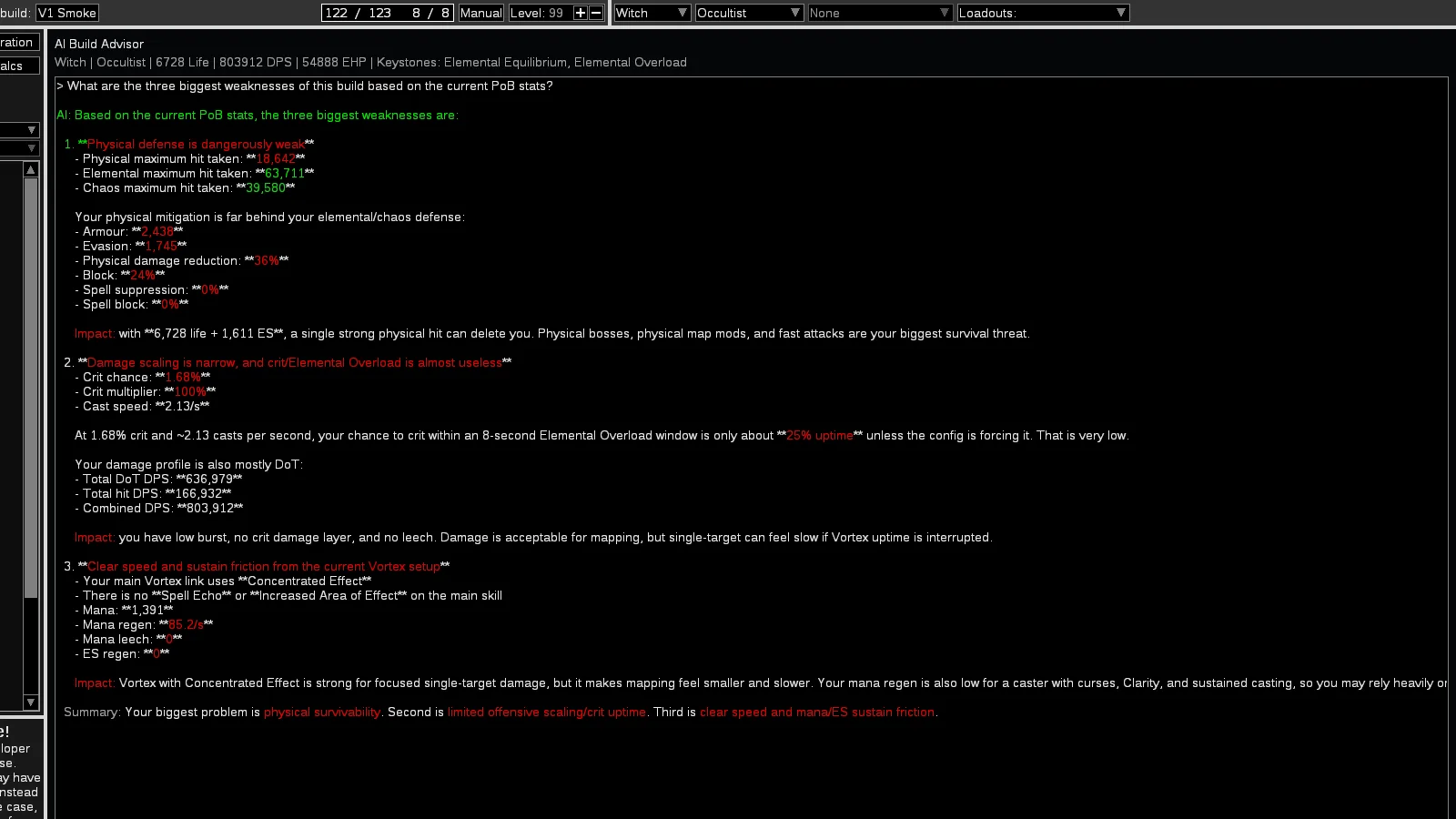
Ask about your build and get an answer without leaving the app.
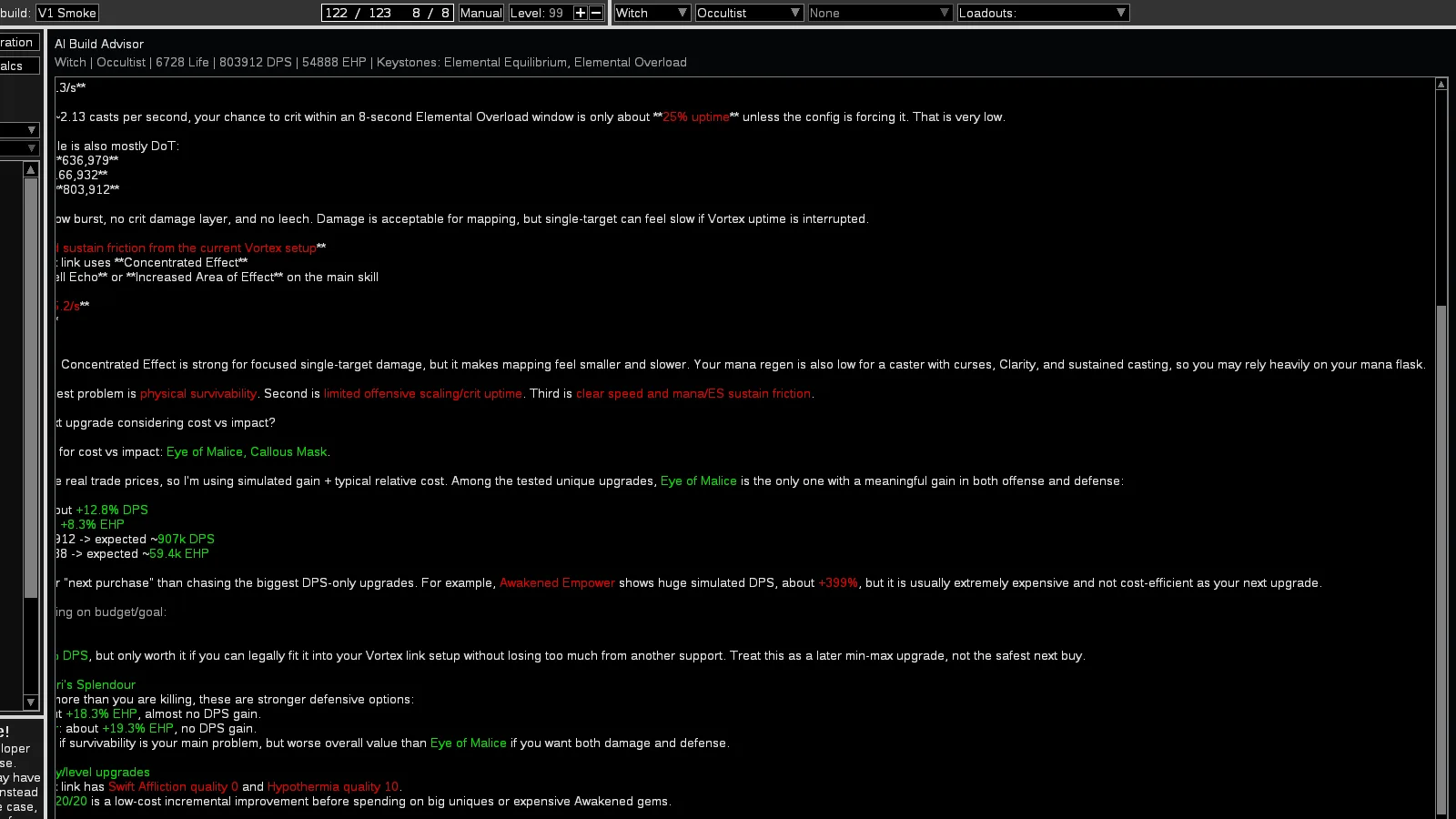
See which options give you more damage or defense before changing the build.
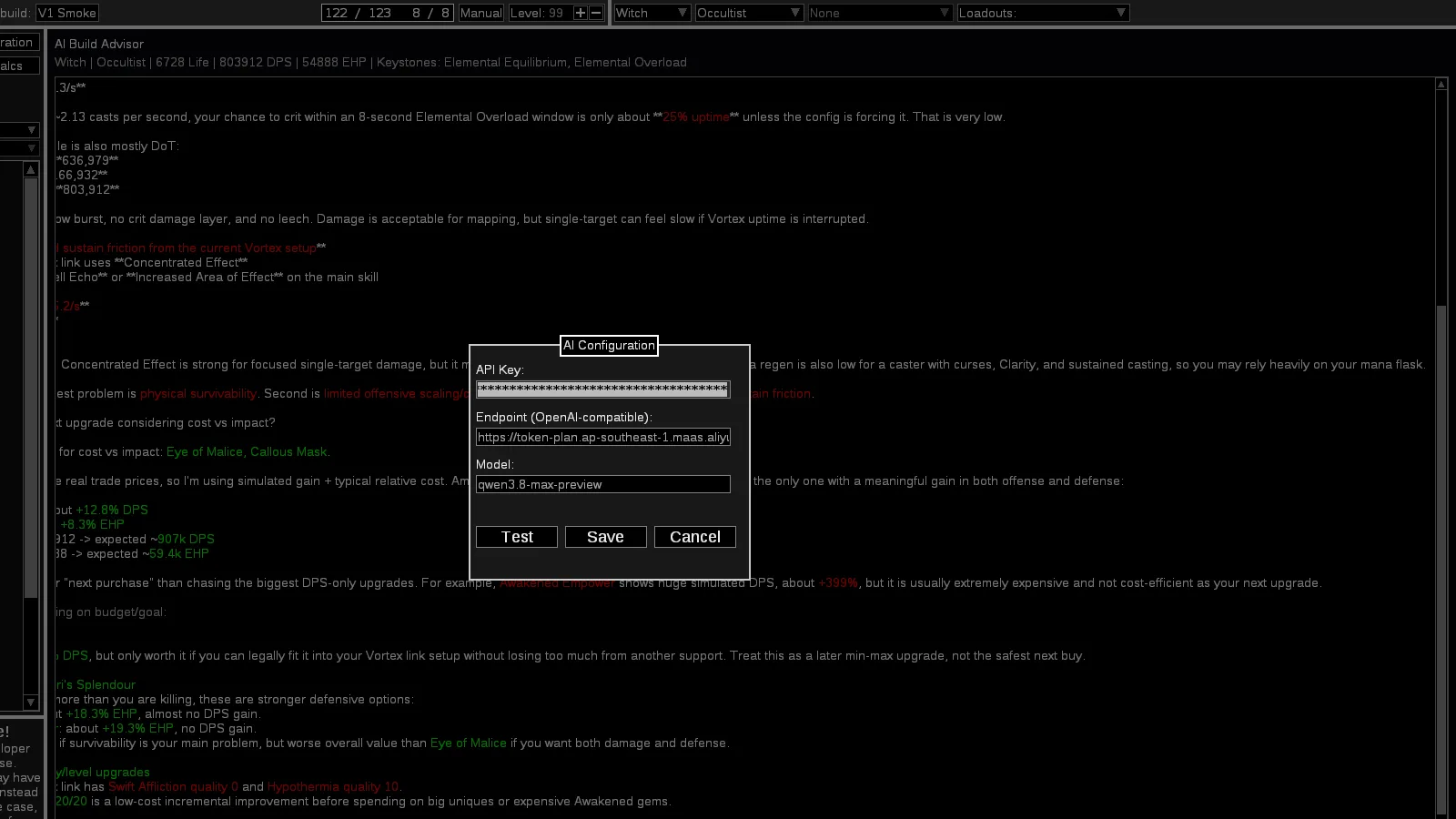
Choose an AI service and use your own key.
AI finds options, PoB runs the numbers, and you choose.
“How can I improve?”, “why do I keep dying?”, or anything else about your build.
It looks at the gems, items, tree, and other parts needed to answer.
It can suggest changes to gems, items, the tree, ascendancy, and configuration.
Path of Building calculates how the build would perform without changing the original.
Compare damage and defenses. The build only changes when you confirm.
Ask questions, compare options, and apply only what makes sense to you.
Ask in plain language without copying numbers or switching between apps.
DPS, EHP, max hits, and defenses are calculated by PoB. AI does not make up the results.
AI uses only the parts of your build that help answer your question.
Skills, items, jewels, passives, masteries, tattoos, ascendancy, and configuration.
Support gems and uniques are tested and ranked by their results in PoB.
PoB runs the calculations first. Your build only changes when you confirm.
Ask for a change in plain language. AI turns the idea into a suggestion that PoB can test.
See how your key and build are protected →Level, class, ascendancy, bandits, and pantheon.
Add or remove gems, swap supports, and choose the main skill.
Equip items and jewels; PoB checks that everything works.
Choose passives, masteries, tattoos, and calculation options.
Download, connect your AI service, and start chatting with your build.
Native Windows · Wine/Proton on Linux
Your AI service is ready to use.
What is the bottleneck in this build right now?
You use your own AI key. It is stored only on your computer and sent only to the service you choose.
See the security detailsThe key is hidden on screen and never included on GitHub or in the download.
The app only talks to services through a secure connection (HTTPS).
V1 does not track how you use the app or send your chats through our own server.
The package contains no keys, settings, logs, or personal builds.
When you chat, your AI service receives the question and the parts of your build needed to answer. Choose a service you trust.
Quick answers about setup, security, and Linux.
No. It suggests changes, but DPS, EHP, resistances, and max hits are still calculated by Path of Building.
You can use AI services that follow the OpenAI format. In AI Setup, enter the key, address, and model name.
No. PoB tests the suggestion and shows the result first. The build only changes when you click Apply.
No. It stays on your computer and is sent only to the AI service you choose.
Yes. Use the same download with Wine or Proton. V1 does not have a native Linux version yet.
Download V1.1.5, open your build, and find what you can improve.